When we send a ping request, the whole process with the OSI model starts. So we have the destination ip address but now we have to find the the desination mac address with only a ip address.
So the flow goes like
Do I know this devices ip address? -> checks the arp cache
Sends a ARP message (broadcast) to the switch with the source MAC address.
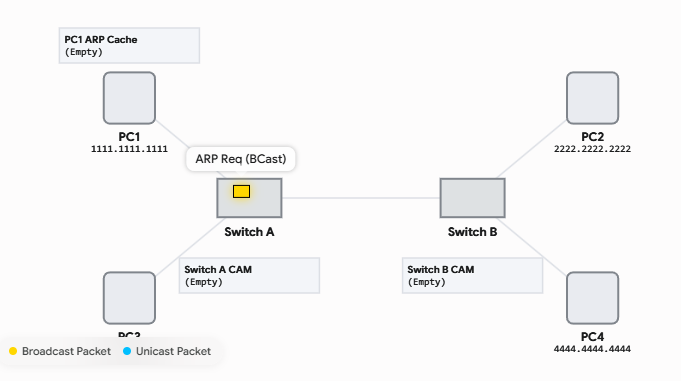
The switch thinks “oh that’s interesting I see a broadcast message from a source 1111.1111.1111.” And boom it writes it to its blank CAM table. So the switch just learned 1 mac address.
The Switch sends out the broadcast to every port except the one it came in.
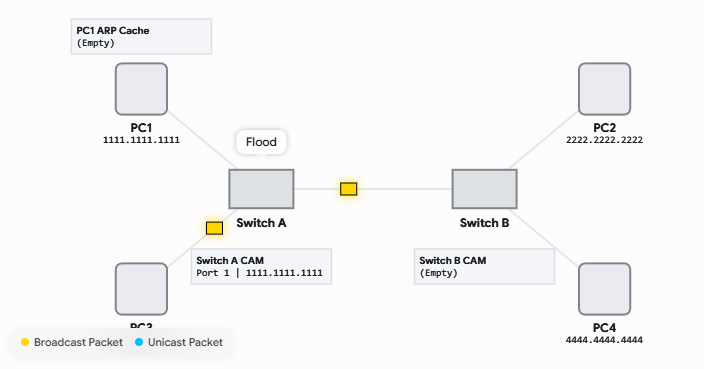
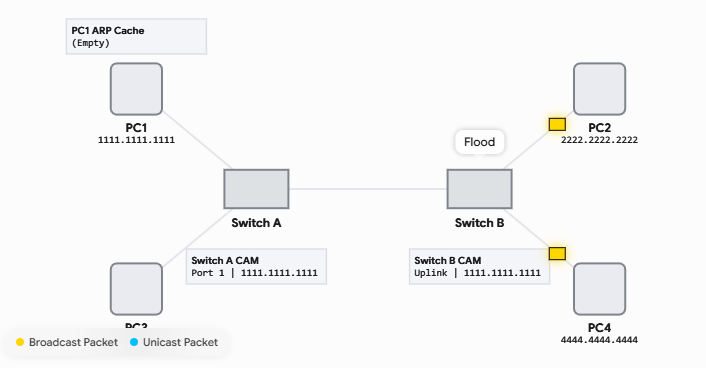
The broadcast now comes in on switch b, the process repeats. The switch notes the source mac address of the ping in its CAM table.
All connected clients gets the broadcast message.
The correct client replies back (called an ARP reply) with the source mac address 2222.2222.2222 and the destination of 1111.1111.1111.
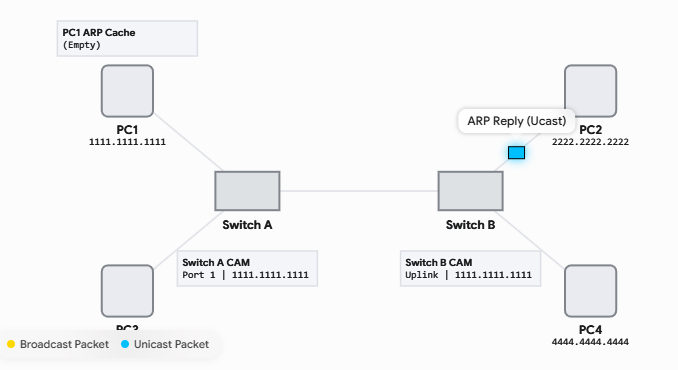
The switch writes another mac address to its CAM table.
And sends the frame back to the client with the mac address 1111.1111.1111 because of the broadcast before, it knows on which port to find that client.
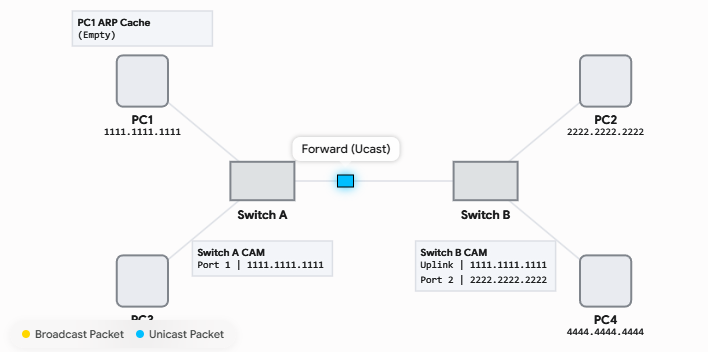
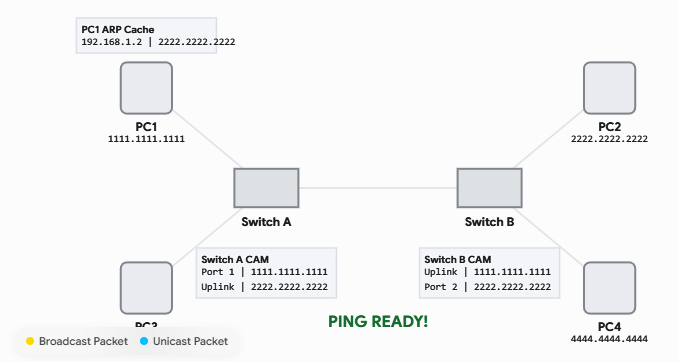
The Switch A as well just learned a new mac address and writes it to its cam table (2222.2222.2222).
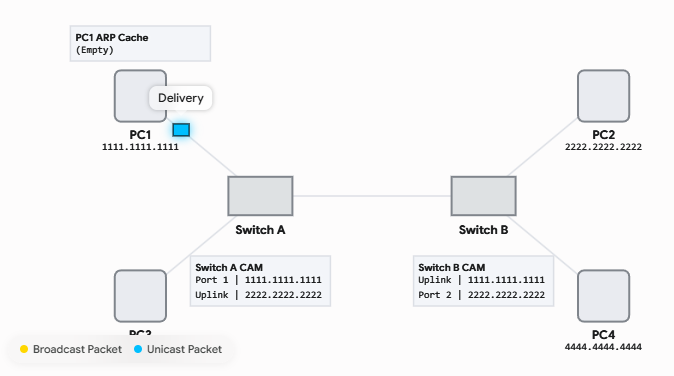
At the client it caches that entry in its ARP cache, and NOW can the ping request start. Until now it did not even start the ping process.
So why do we need two layers of addresses?
Because the most requests nowadays are not meant for the LAN, they go out in the wide internet. And to get to for example, to google.com, we can’t just say find google.com. With our computer set packed with an IP, a subnet and a default gateway. So if we try to get to google.com we know the destination ip address. But the destination mac address will be our default gateway for the moment. And the router strips of the destination mac address, and strips of the source mac address and write the his own mac address in the source mac address. As well as the destination mac address of the next router in my journey.